> ## Documentation Index
> Fetch the complete documentation index at: https://docs.trymaitai.com/llms.txt
> Use this file to discover all available pages before exploring further.
# LLM Action
> Specialized sub-tasks with unique prompts and model configs
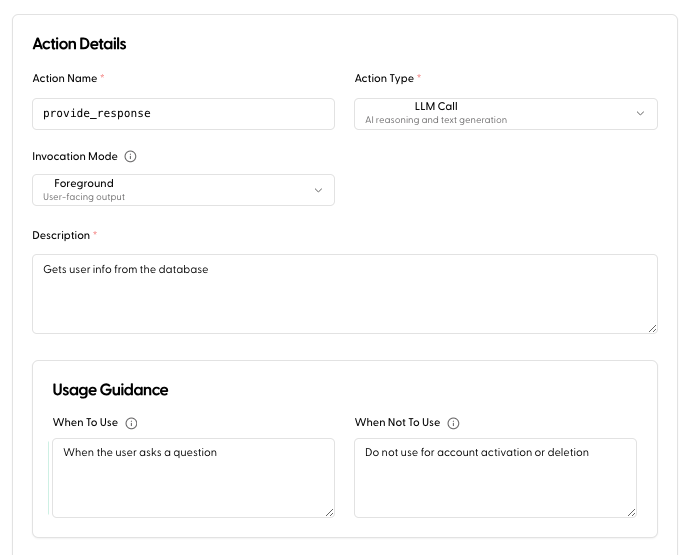
An **LLM Action** allows your agent to perform a specialized reasoning task using a separate prompt and model configuration.
### When to use LLM Actions
Use LLM Actions for atomic tasks that require reasoning but don't necessarily need a full, stateful subagent.
* **Summarization**: Condensing a long session history or a document.
* **Translation**: Converting user input or agent output into a different language.
* **Formatting**: Transforming unstructured text into a specific JSON schema or markdown format.
### Configuration
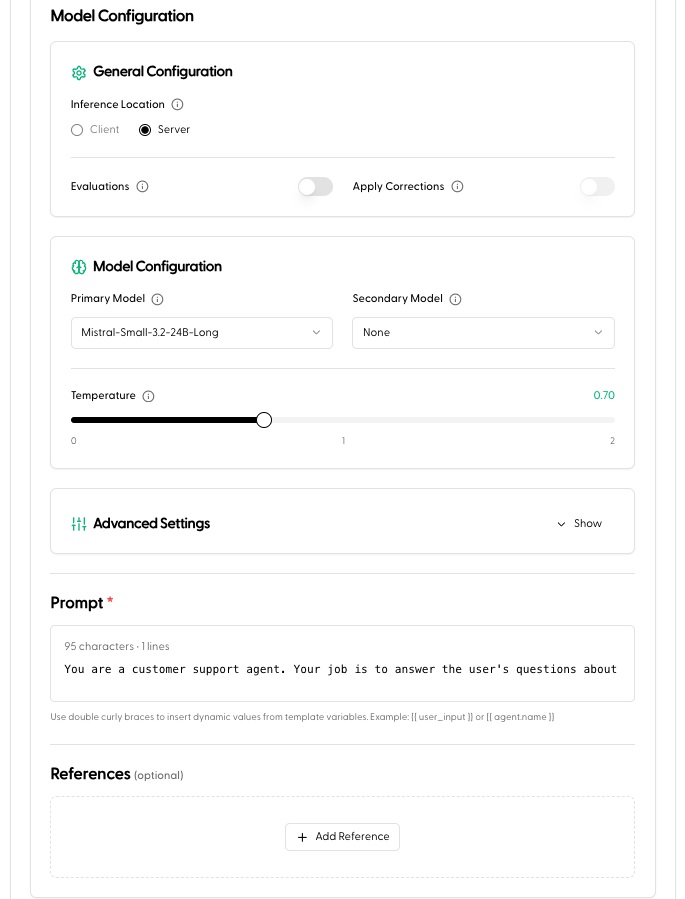
You can define a unique system prompt, select a specific model (e.g., a smaller, faster model for simple tasks), and set hyperparameters specifically for this action.
Like all actions, LLM Actions have an [Invocation Mode](/build/agents/capabilities/api_action#invocation-mode): **Foreground** output can stream back as part of the agent's response, while **Background** output only enriches session context and is never shown to the user.
LLM Actions run through your Application like any other intent, each action shows up in [request monitoring](/observe/request_overview) and can be independently fine-tuned as you collect traffic.