> ## Documentation Index
> Fetch the complete documentation index at: https://docs.trymaitai.com/llms.txt
> Use this file to discover all available pages before exploring further.
# Applications
> How Applications are represented in the Portal (lists, detail pages, and tabs)
In the Portal, an **Application** is the primary container for:
* Your **traffic** (sessions + requests)
* Your Application’s **Intents** (action types)
* Application-level **configuration**
## Where to find Applications
Use the left sidebar:
* **Applications**: opens the Applications list (`/applications`)
 ## Applications list
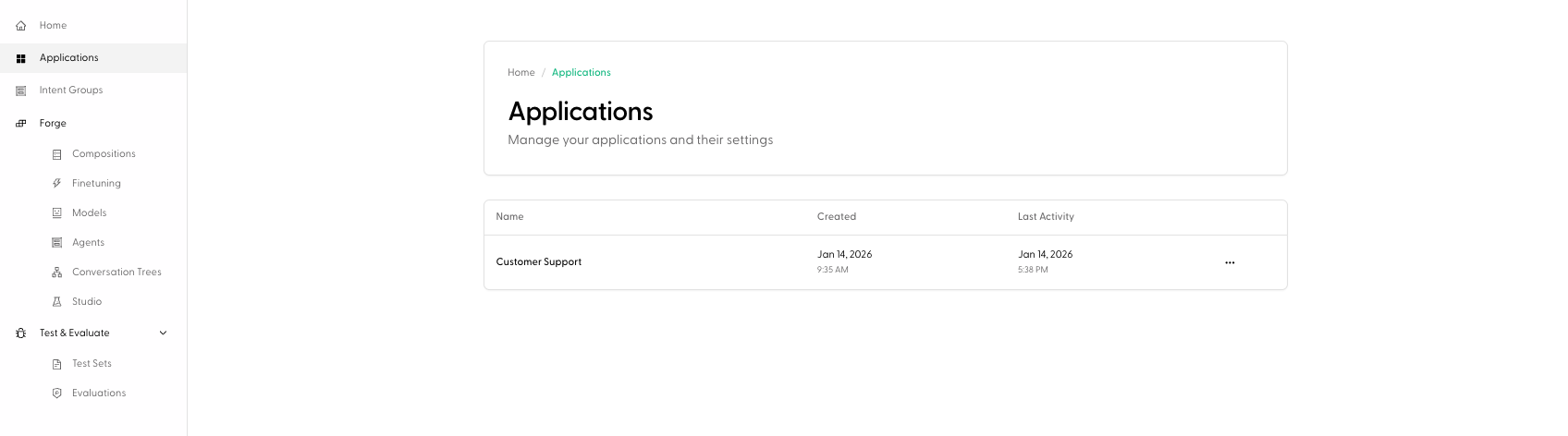
The Applications list shows a table with:
* **Name**
* **Created**
* **Last Activity**
Click any row to open the Application detail page (`/application/:applicationId`).
You can also **delete** an application from the list using the row action menu.
The Applications list shows an empty state until you have traffic. In the Portal UI, Applications are described as appearing automatically once you start using Maitai.
## Application detail page
Opening an Application takes you to a detail view with tabs. The exact tabs are:
* **Overview**
* **Agents**
* **Intents**
* **Sessions**
* **Models**
* **Configuration**
### Overview
## Applications list
The Applications list shows a table with:
* **Name**
* **Created**
* **Last Activity**
Click any row to open the Application detail page (`/application/:applicationId`).
You can also **delete** an application from the list using the row action menu.
The Applications list shows an empty state until you have traffic. In the Portal UI, Applications are described as appearing automatically once you start using Maitai.
## Application detail page
Opening an Application takes you to a detail view with tabs. The exact tabs are:
* **Overview**
* **Agents**
* **Intents**
* **Sessions**
* **Models**
* **Configuration**
### Overview
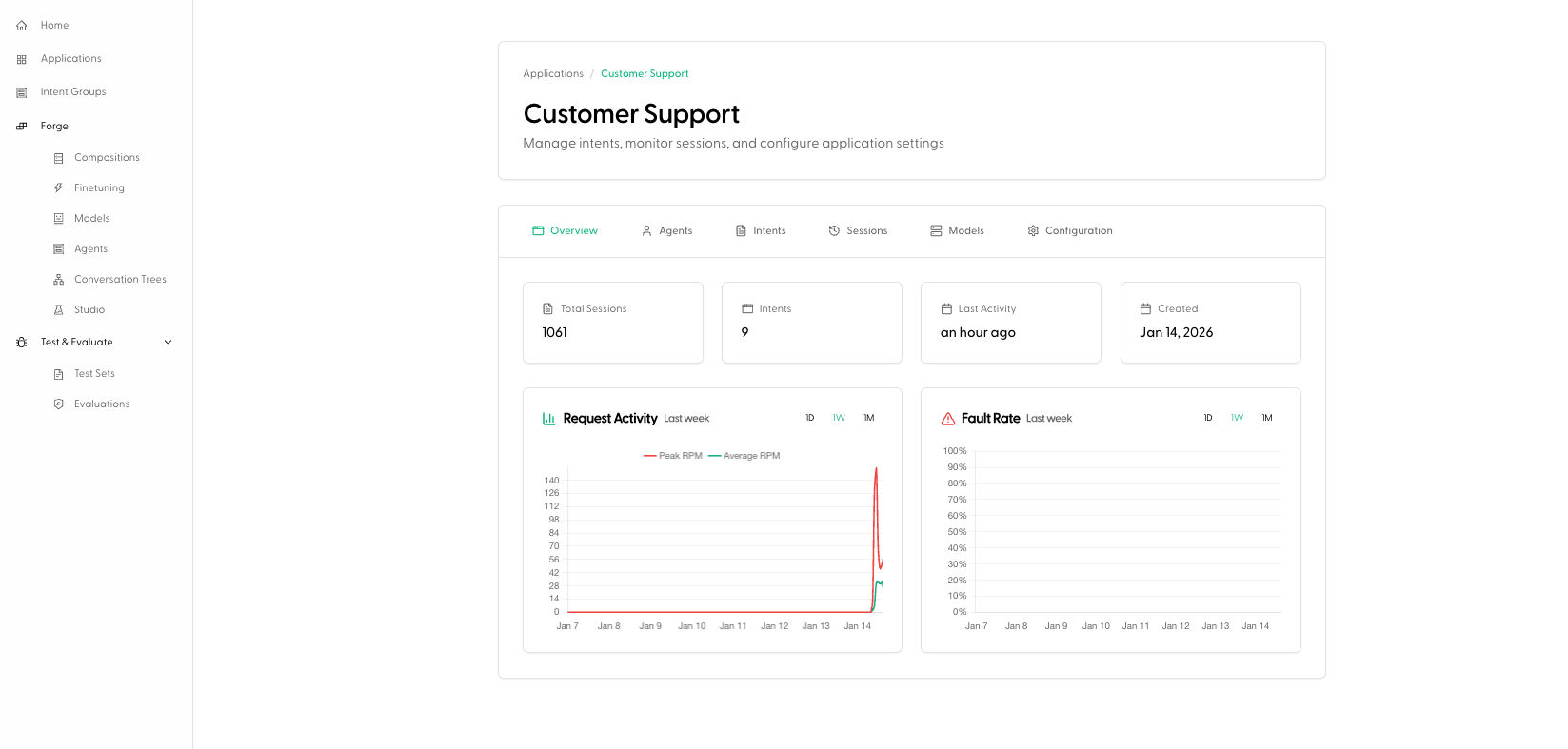 The Overview tab is the "health dashboard" for the Application. It includes:
* **Key metrics** (for example: total sessions, number of intents, last activity, created date)
* **Analytics charts**:
* **Request Activity**
* **Fault Rate**
### Agents
The Overview tab is the "health dashboard" for the Application. It includes:
* **Key metrics** (for example: total sessions, number of intents, last activity, created date)
* **Analytics charts**:
* **Request Activity**
* **Fault Rate**
### Agents
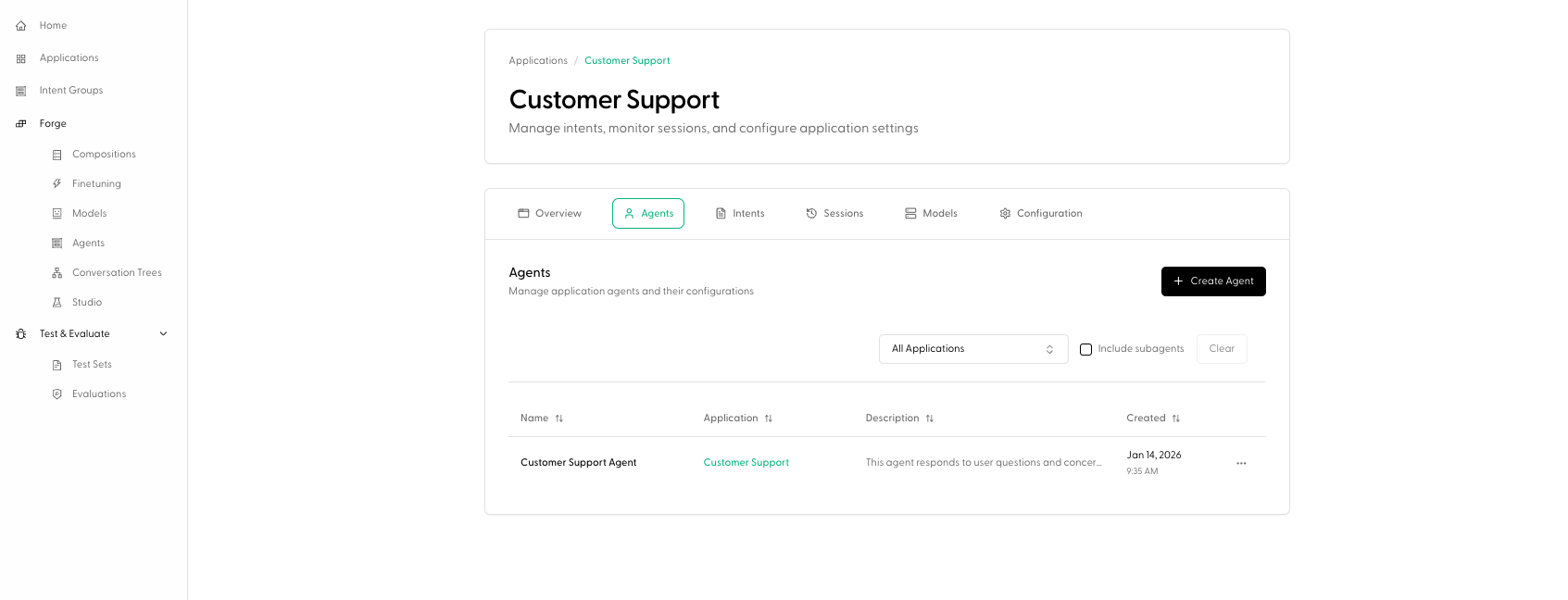 The Agents tab is the application-scoped entry point for working with Agents:
* View Agents associated with this Application
* Create an Agent directly from the Application via **Create Agent**
If you’re learning Agents from scratch, start with the Build section: [Create Agent](/build/agents/create_agent).
### Intents
The Agents tab is the application-scoped entry point for working with Agents:
* View Agents associated with this Application
* Create an Agent directly from the Application via **Create Agent**
If you’re learning Agents from scratch, start with the Build section: [Create Agent](/build/agents/create_agent).
### Intents
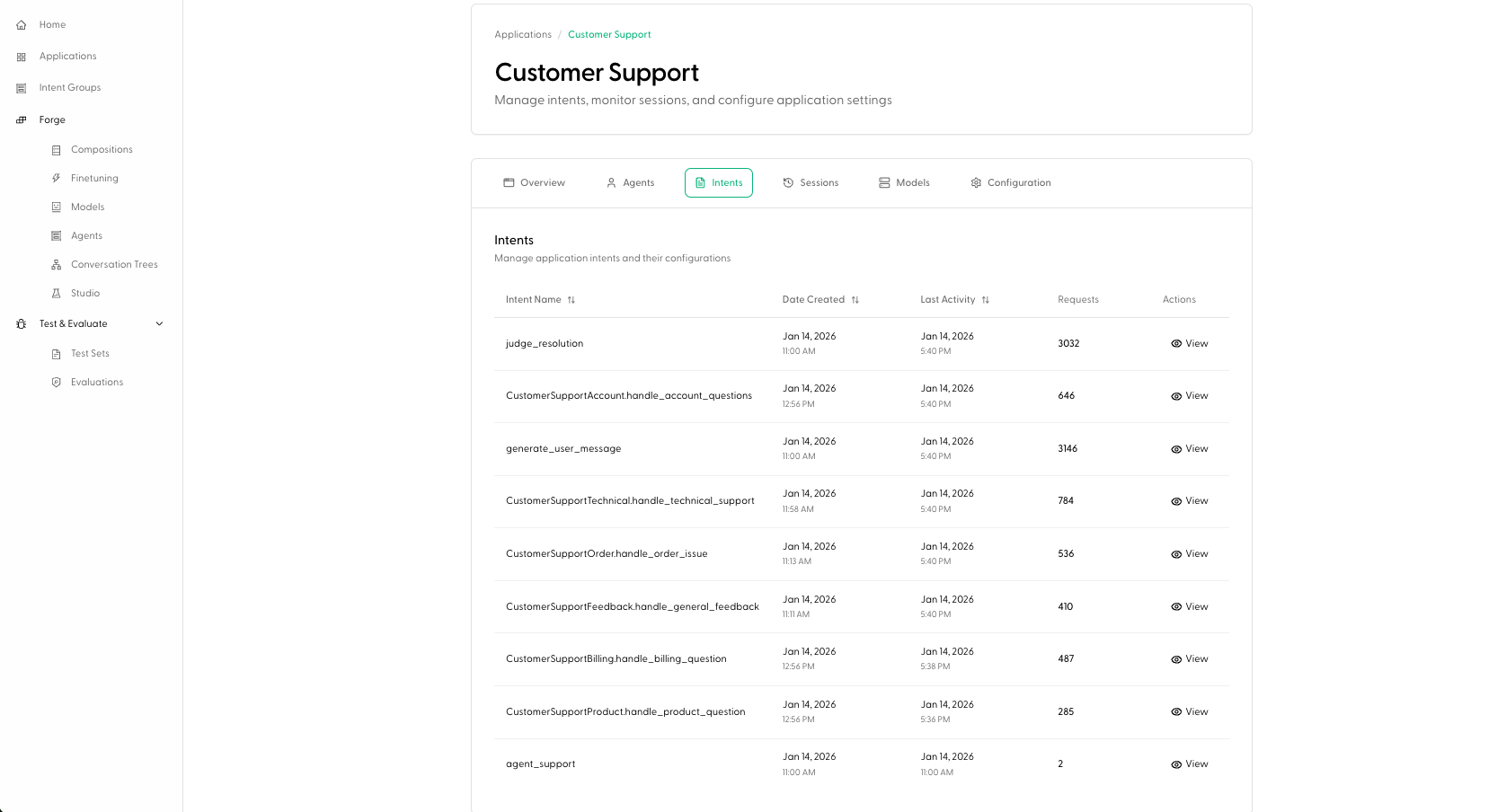 The Intents tab lists the Intents (action types) that exist within this Application, including:
* intent name (the `action_type`)
* created date
* last activity
* request count
Click a row to open the Intent detail page (`/application/:applicationId/intent/:actionId`).
### Sessions
The Sessions tab is where you browse session history for the Application.
In the Portal, sessions can be opened from this table to view a full **Session Details** experience (timeline, etc). See [Agent Sessions](/observe/agent_sessions).
### Models
The Models tab shows models associated with the Application (as presented in the Portal’s models table).
### Configuration
The Intents tab lists the Intents (action types) that exist within this Application, including:
* intent name (the `action_type`)
* created date
* last activity
* request count
Click a row to open the Intent detail page (`/application/:applicationId/intent/:actionId`).
### Sessions
The Sessions tab is where you browse session history for the Application.
In the Portal, sessions can be opened from this table to view a full **Session Details** experience (timeline, etc). See [Agent Sessions](/observe/agent_sessions).
### Models
The Models tab shows models associated with the Application (as presented in the Portal’s models table).
### Configuration
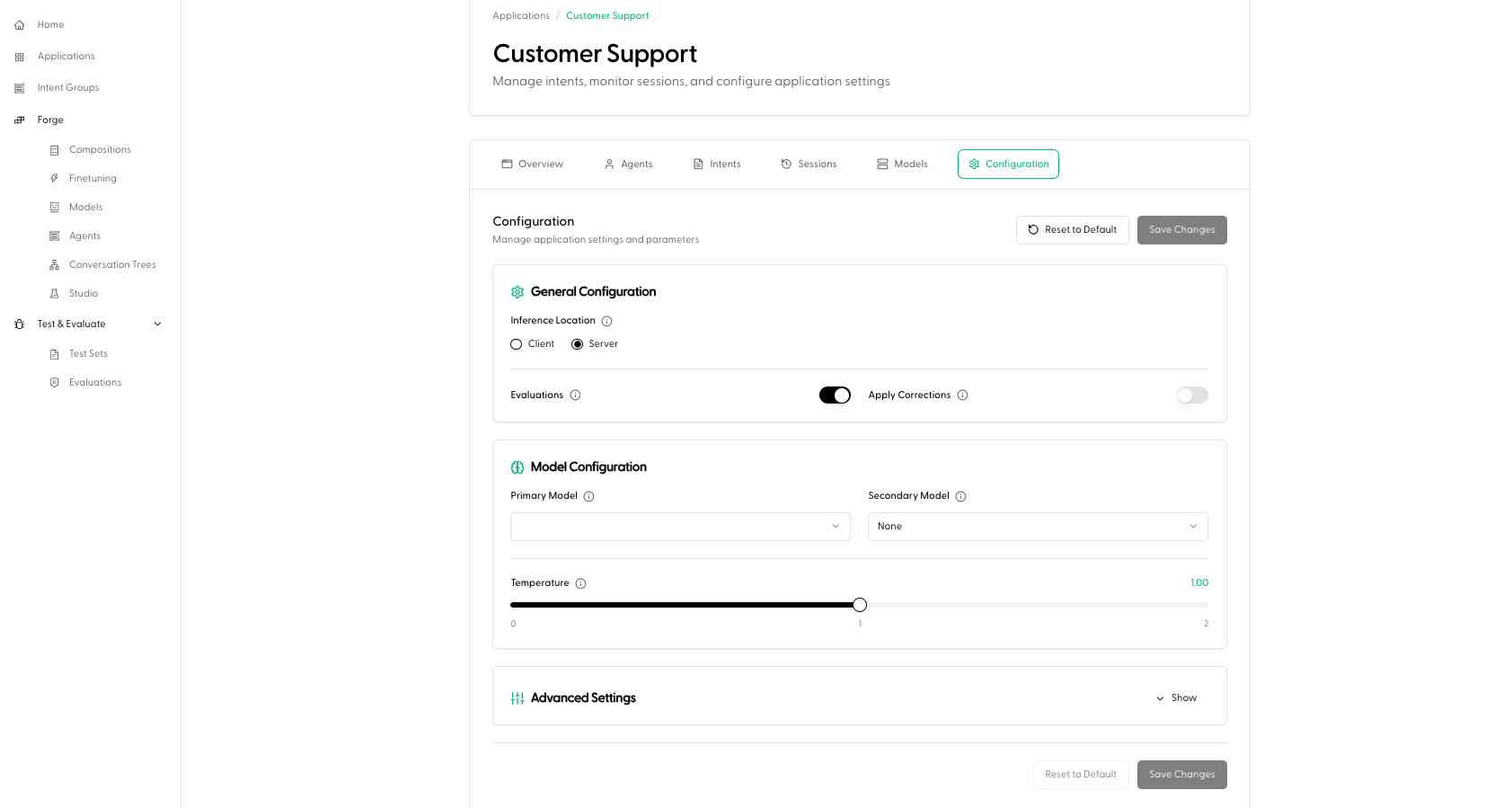 The Configuration tab exposes application-level configuration (with save/reset controls). This is where you set defaults that affect how Maitai runs your requests for this Application.
For a walkthrough of configuration fields, see [Configuration](/examples/configuration).
## How Applications relate to Intents and Intent Groups
* **Intents** are defined within an **Application** (they represent action types within that app).
* **Intent Groups** are cross-application: they group Intents across your company by shared action type.
In practice:
* Start at **Applications** to focus on one product/service.
* Jump to **Intent Groups** when you want to manage shared monitoring/testing behavior across many apps.
The Configuration tab exposes application-level configuration (with save/reset controls). This is where you set defaults that affect how Maitai runs your requests for this Application.
For a walkthrough of configuration fields, see [Configuration](/examples/configuration).
## How Applications relate to Intents and Intent Groups
* **Intents** are defined within an **Application** (they represent action types within that app).
* **Intent Groups** are cross-application: they group Intents across your company by shared action type.
In practice:
* Start at **Applications** to focus on one product/service.
* Jump to **Intent Groups** when you want to manage shared monitoring/testing behavior across many apps.