> ## Documentation Index
> Fetch the complete documentation index at: https://docs.trymaitai.com/llms.txt
> Use this file to discover all available pages before exploring further.
# Intents
> How Intents (ApplicationActions) work in the Portal
In Maitai, an **Intent** is a specific action type within an Application. In the API and codebase, an Intent is represented as an `ApplicationAction`.
Intents are the unit that most Portal screens use to organize:
* request history
* analytics (activity and fault rate)
* configuration
## Where to find Intents
You can reach an Intent in a few ways:
* **From an Application**: open `/application/:applicationId` and click the **Intents** tab, then click an intent row.
* **From an Intent Group**: open `/intent-group/:intentGroupId` and use the **Intents** tab to navigate into a specific application’s intent.
An Intent’s detail page is:
* `/application/:applicationId/intent/:actionId`
## Intent list (within an Application)
On the Application page’s **Intents** tab, the Portal lists each intent with:
* **Intent Name** (the `action_type`)
* **Date Created**
* **Last Activity**
* **Requests** (count)
Clicking a row opens the intent detail page.
## Intent detail page
The intent detail page includes:
* breadcrumb navigation back to Applications and the Application
* the intent name (`action_type`)
* a **description** and **tags** (as displayed from the intent metadata in the Portal)
### Tabs on an Intent
The Portal intent page has these tabs:
* **Overview**
* **Requests**
* **Datasets**
* **Models**
* **Configuration**
#### Overview
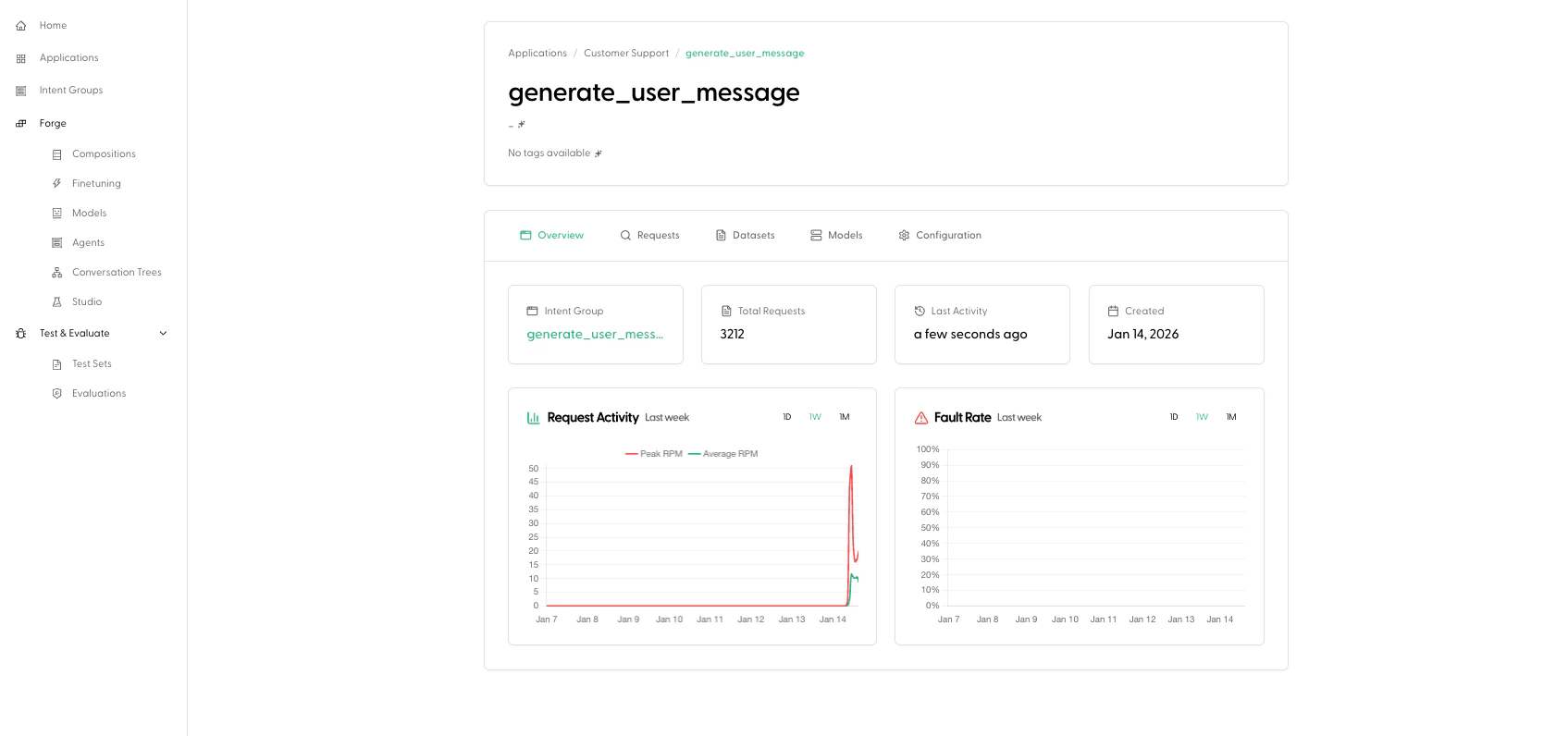 The Overview tab includes:
* a link to the **Intent Group** associated with this intent
* key metrics (request count, last activity, created date)
* analytics charts:
* **Request Activity**
* **Fault Rate**
#### Requests
The Overview tab includes:
* a link to the **Intent Group** associated with this intent
* key metrics (request count, last activity, created date)
* analytics charts:
* **Request Activity**
* **Fault Rate**
#### Requests
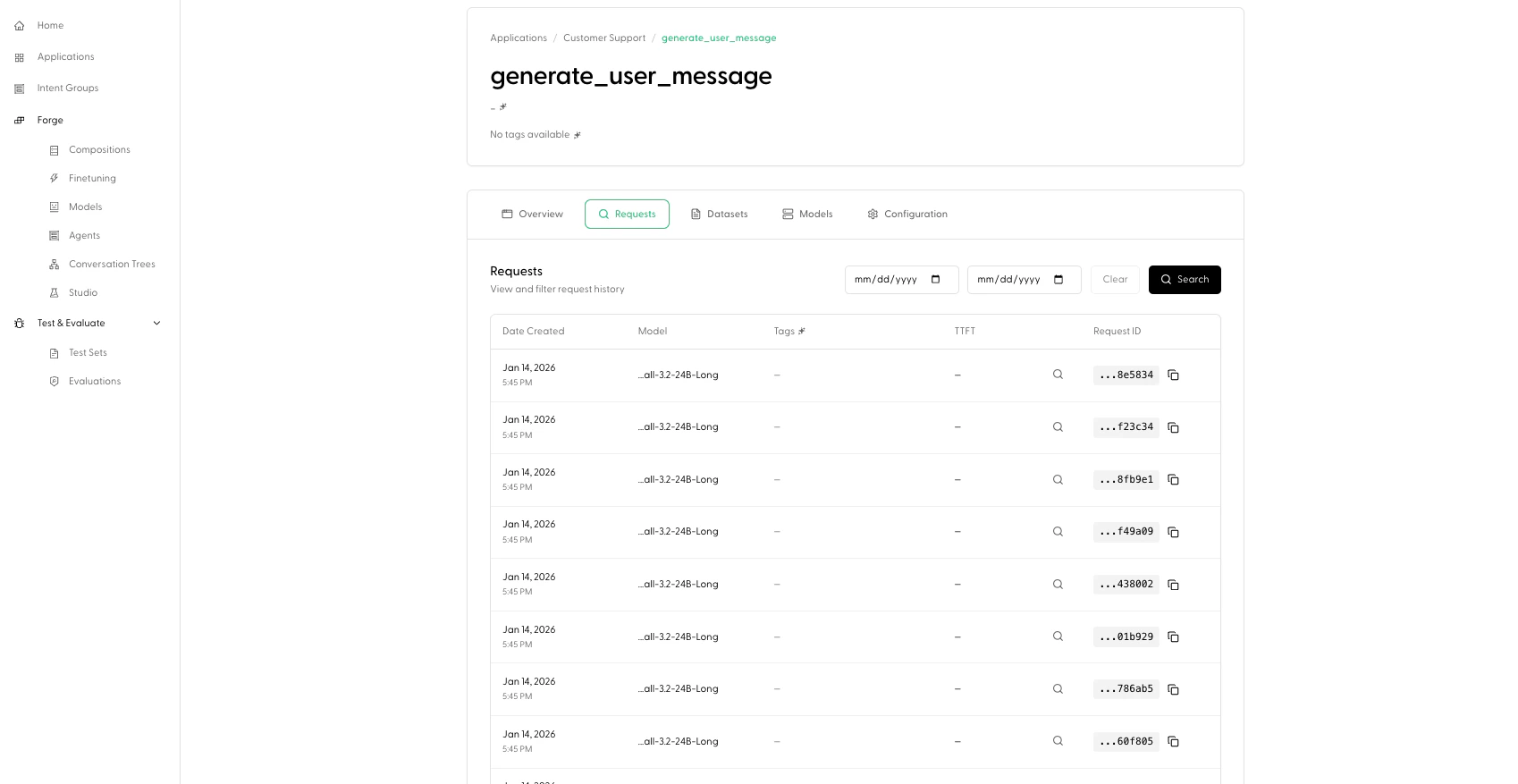 The Requests tab shows request history for this intent, with:
* a date range filter
* a paginated requests table
From here you’ll typically drill into a specific request to debug behavior.
#### Datasets
The Requests tab shows request history for this intent, with:
* a date range filter
* a paginated requests table
From here you’ll typically drill into a specific request to debug behavior.
#### Datasets
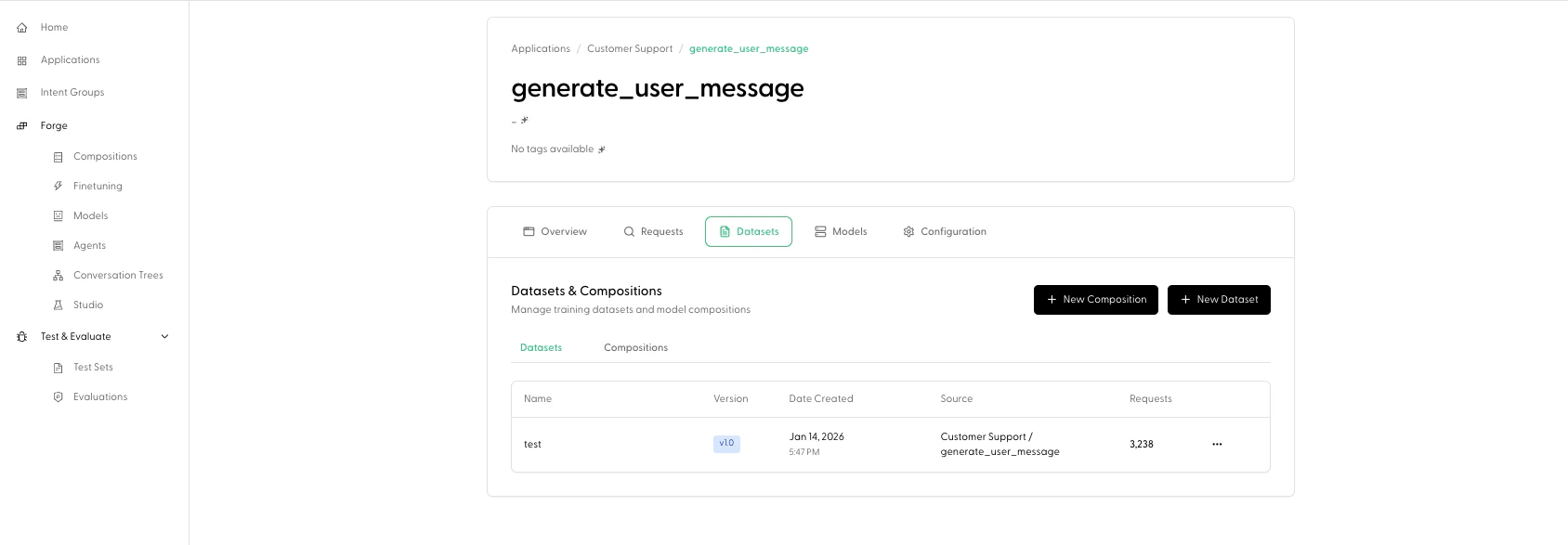 The Datasets tab is labeled **"Datasets & Compositions"** and includes:
* **New Composition** and **New Dataset** buttons (these jump you into Forge with this intent pre-selected)
* sub-tabs for:
* **Datasets**
* **Compositions**
This is an “observe to build” bridge: you can identify an intent with issues, then quickly start creating datasets/compositions for fine-tuning work.
#### Models
The Models tab shows models associated with this intent (as presented by the Portal’s models table).
#### Configuration
The Configuration tab exposes intent-level configuration with:
* **Reset to Default**
* **Save Changes**
This is where you tune how Maitai runs requests for this intent.
For details on configuration fields, see [Configuration](/examples/configuration).
## How Intents relate to Intent Groups and Test Sets
* **Intent Groups** group intents across applications by shared action type. From an Intent’s Overview tab, you can click through to its Intent Group.
* **Test Sets** are organized by **Intent Group** in the Portal (not directly by Application Intent). See [Test Sets](/test/test_sets/creation).
The Datasets tab is labeled **"Datasets & Compositions"** and includes:
* **New Composition** and **New Dataset** buttons (these jump you into Forge with this intent pre-selected)
* sub-tabs for:
* **Datasets**
* **Compositions**
This is an “observe to build” bridge: you can identify an intent with issues, then quickly start creating datasets/compositions for fine-tuning work.
#### Models
The Models tab shows models associated with this intent (as presented by the Portal’s models table).
#### Configuration
The Configuration tab exposes intent-level configuration with:
* **Reset to Default**
* **Save Changes**
This is where you tune how Maitai runs requests for this intent.
For details on configuration fields, see [Configuration](/examples/configuration).
## How Intents relate to Intent Groups and Test Sets
* **Intent Groups** group intents across applications by shared action type. From an Intent’s Overview tab, you can click through to its Intent Group.
* **Test Sets** are organized by **Intent Group** in the Portal (not directly by Application Intent). See [Test Sets](/test/test_sets/creation).