

Where to configure
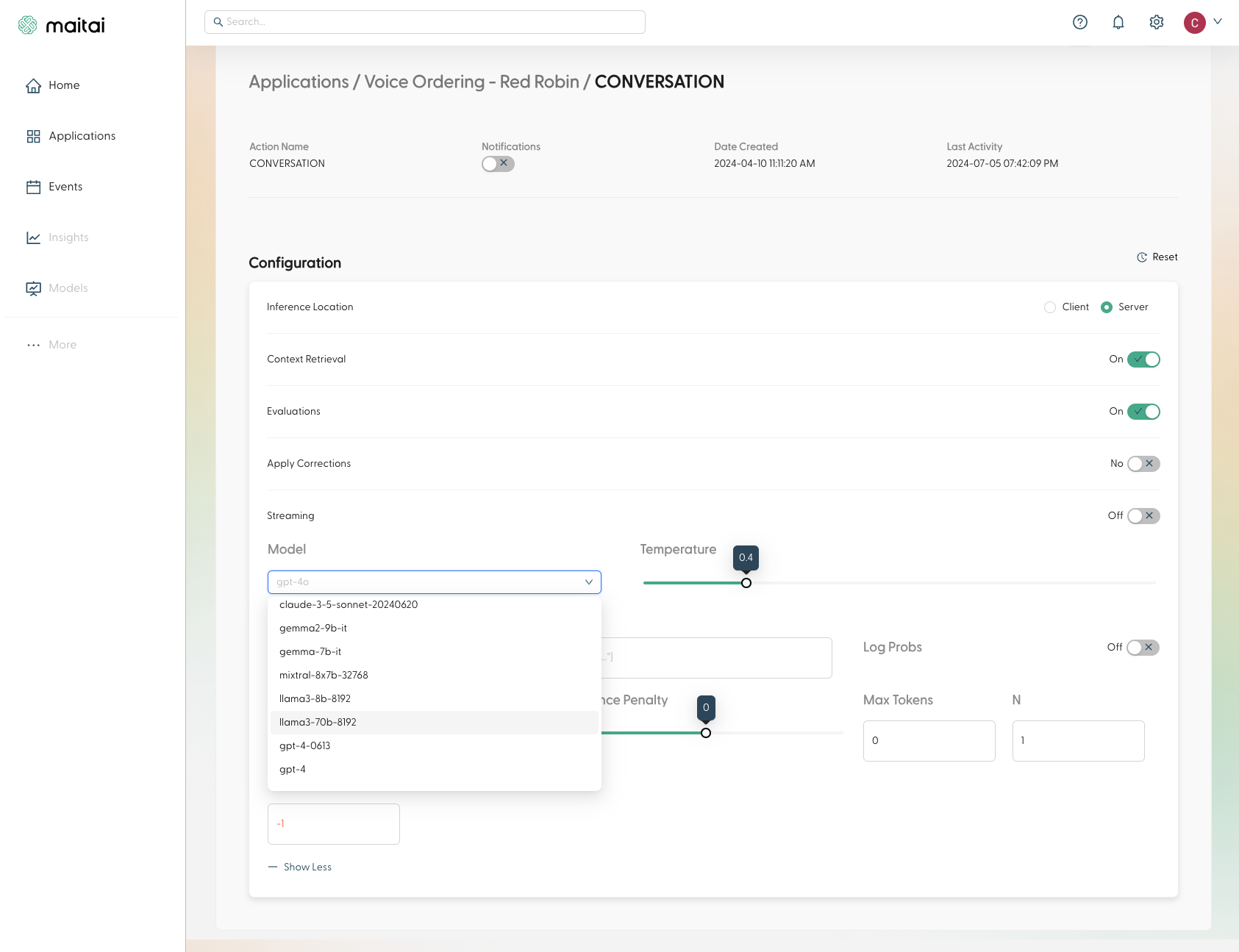
In the Portal, configuration appears in these places:- Application:
/application/:applicationId, then Configuration - Intent Group:
/intent-group/:intentGroupId, then Configuration - Intent (ApplicationAction):
/application/:applicationId/intent/:actionId, then Configuration - Test Run: the Test Run wizard includes a configuration step used for that run
Common patterns
Enable evaluations + corrections
- Turn on Evaluations
- Optionally turn on Apply Corrections
- This toggle is only available when evaluations are enabled.
- Enabling corrections unlocks Safe Mode.
Add a secondary model + fallback behavior
- Select a Secondary Model
- Choose a Fallback Strategy
- Optionally set a Fallback Timeout (only appears for timeout strategy)
Make output more deterministic
- Lower Temperature
- Use a Stop Sequence
- Set Max Tokens
Parameters available in the Portal Configuration panel
Client or Server
Controls where inference is executed.
string
Controls the model’s reasoning depth when supported by the selected model.
boolean
default:true
Enables Sentinel evaluation for requests at this scope.
boolean
default:false
Enables automatic correction behavior when evaluations identify faults.
boolean
default:false
Safe mode prioritizes accuracy over latency. Only available when Apply Corrections is enabled.
string
Primary AI model to be used for inference. Models are grouped by provider and sorted alphabetically, with Maitai models (recommended) appearing first.
string
Optional fallback model to use if the primary model is not available or has degraded performance.
string
default:"reactive"
Strategy to use when falling back to secondary model. Options:
reactive: Falls back on primary model failure- If a timeout is specified, it will initiate the fallback request after the timeout period
timeout: Falls back after specified timeout periodfirst_response: Uses whichever model responds first- If a timeout is specified, it will only use the fallback model after the timeout period
number
Timeout in seconds before falling back to secondary model. Only applicable when using the “timeout” fallback strategy.
number
default:1
Controls randomness in the model’s output. Range 0-2, where:
- Lower values (e.g., 0): More deterministic output
- Higher values (e.g., 2): More random output
string
Sequences where the API will stop generating further tokens.
boolean
default:false
Include the log probabilities of the output tokens.
integer
default:1
How many completions to generate for each prompt.
integer
The maximum number of tokens to generate in the completion.
number
default:0
Range -2 to 2. Increases the model’s likelihood to talk about new topics.
number
default:0
Range -2 to 2. Decreases the model’s likelihood to repeat the same line verbatim.