

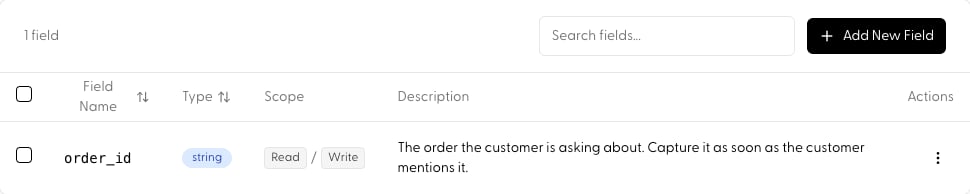
- Orchestration: in
reasoningmode, the planner sees current state when deciding what to do next, and the Process step writes updates back after each action. - Routing: in
routemode, rules-based routing can match on state values (e.g. route to the billing action onceorder_idis set). - SDK: read resolved state and seed values per request via
agent.get(see below).
Defining a field
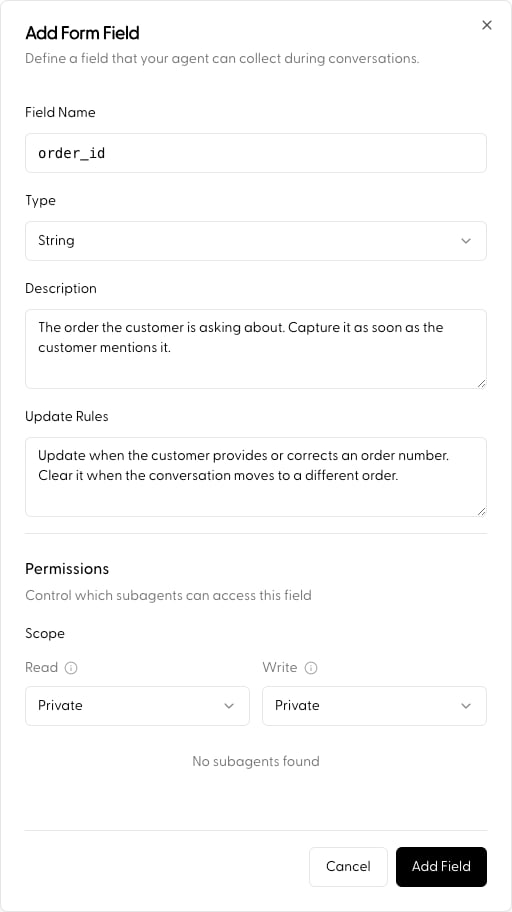
- Name: how the agent and your code reference the field (e.g.
order_id). - Description: what the field holds and when to fill it. The agent relies on this, so be specific.
- Type:
string,number,boolean, ordate. Values written from the SDK are validated against this type. - Update Rules (optional), extra guidance for when and how the agent should update the value.
- Read / Write Scope: access control, below.
Access control (ACLs)
Each field carries its own ACL controlling which agents in the hierarchy can see or modify it, critical for data integrity in multi-agent workflows.- Read Scope: who can view the field’s value.
- Write Scope: who can update it. Write access requires read access.
- Private (default): only the agent that defines the field can access it. Best for internal session state that sub-agents shouldn’t see.
- Public: any agent in the session hierarchy can access the field. Useful for shared context like
user_idorsession_language. - Custom: explicitly select which sub-agents get access, a “need-to-know” architecture where data is only shared with the specialists that require it.
Use cases
- Data isolation: keep sensitive internal reasoning Private.
- Selective delegation: share
payment_tokenwith only the “Billing” sub-agent via Custom, hidden from “General Support”. - Global context: make essential metadata Public so every agent in the tree can use it.
Seeding state from code
You can read an agent’s resolved state and seed field values for a single request through the SDK:None clears a field. See Agent Call, per-request overlays.
Next
- Guide the steps that read and write state: Agent Flow Steps
- Full walkthrough: Build an Agent