

How It Works
- You define a reasoning schema: a set of fields with extraction instructions tailored to your use case.
- Maitai runs an LLM over every request in your dataset to extract values for each field.
- The extracted reasoning is stored as structured metadata on each dataset request.
- During fine-tuning, the reasoning is automatically prepended to each response and converted to model-specific tags (e.g.,
<think>for DeepSeek-style models).
Starting a Reasoning Augmentation
Navigate to your dataset’s Augmentations tab. You’ll see both Reasoning Augmentation and Variation Augmentation buttons.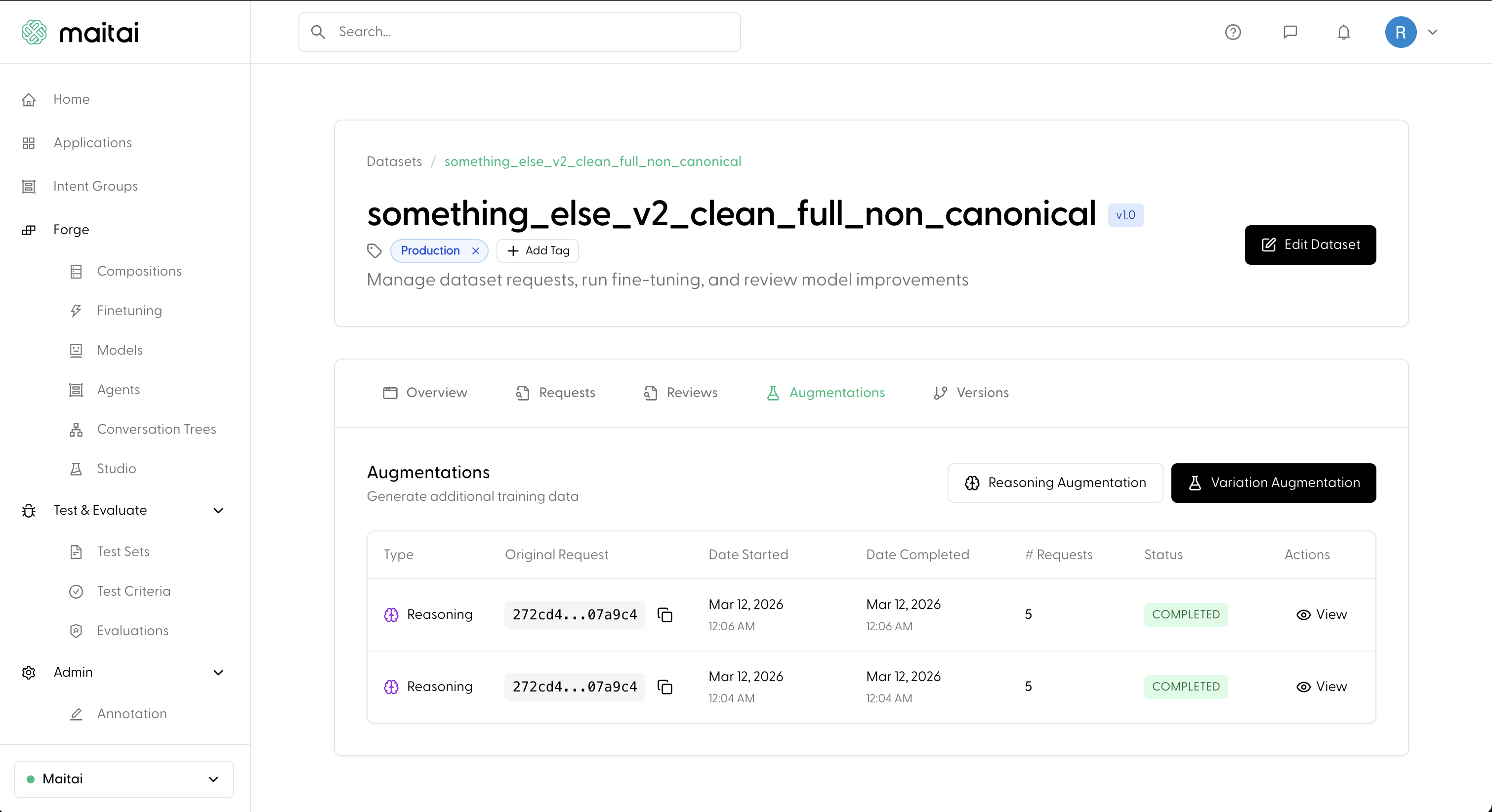
Defining a Reasoning Schema
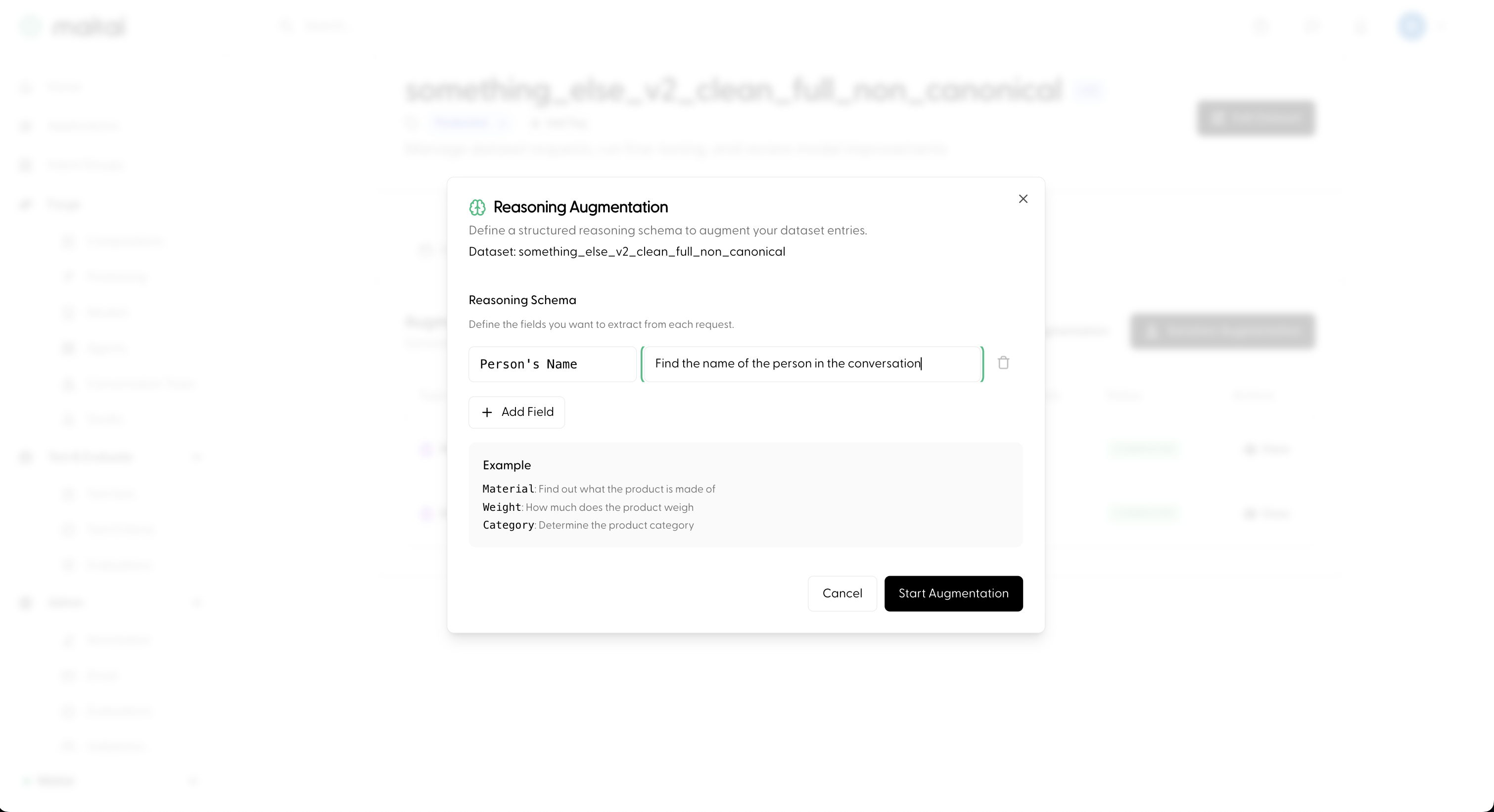
The modal lets you define the fields you want the LLM to extract from each request in your dataset. Each field has two parts:- Field name: a short label for the extracted value (e.g.,
Intent,Sentiment,Key Entities). - Instruction: a natural-language prompt telling the LLM what to look for (e.g., “Determine what the user is asking for”).
Monitoring Progress
After starting the augmentation, a new entry appears in the Augmentations table. You can track its status as it progresses fromCREATED to RUNNING to COMPLETED.
Once completed, click View to inspect the extracted reasoning for each request. Each entry shows the key-value pairs the LLM extracted based on your schema.
Using Reasoning in Fine-tuning
When you include a reasoning-augmented dataset in a Composition and start a Fine-tune Run, the reasoning is automatically handled:- The structured reasoning is prepended to each assistant response in the training data.
- The reasoning tags are automatically converted to the appropriate model-specific format for your chosen base model (e.g.,
<think>for DeepSeek-style models).
Next
- Combine datasets into a training recipe: Compositions
- Start training: Fine-tune Runs
- Full end-to-end walkthrough: Fine-tune a Model